Table of Contents
ToggleThe Nintendo 64 remains one of the most beloved consoles in gaming history. For beginners interested in retro gaming, the Nintendo 64 offers an accessible entry point with iconic titles and memorable experiences. This guide covers everything new collectors need to know, from essential equipment to game recommendations and setup tips. Whether someone wants to relive childhood memories or discover classic games for the first time, the Nintendo 64 delivers hours of entertainment.
Key Takeaways
- The Nintendo 64 for beginners offers a straightforward retro gaming experience with instant cartridge-based play and no downloads or updates required.
- Essential equipment includes the console, at least one controller with a working analog stick, video cables, and a power supply.
- Start your game collection with proven classics like Super Mario 64, Mario Kart 64, and The Legend of Zelda: Ocarina of Time.
- A working Nintendo 64 console with one controller typically costs $60–100, with local game stores offering the safest buying experience.
- Consider purchasing an Expansion Pak early since some popular games like Donkey Kong 64 and Majora’s Mask require it to play.
- Use an upscaler like the RetroTINK to improve picture quality when connecting your Nintendo 64 to modern flat-screen TVs.
What Makes the Nintendo 64 Special
Nintendo released the Nintendo 64 in 1996, and it changed how people played video games. The console introduced 3D gaming to millions of players through groundbreaking titles like Super Mario 64 and The Legend of Zelda: Ocarina of Time.
Several features set the Nintendo 64 apart from other retro consoles:
- Four controller ports built-in: Players could enjoy multiplayer games without buying additional adapters.
- Cartridge-based games: Unlike disc-based systems, Nintendo 64 cartridges load instantly and resist scratches.
- Analog stick controller: The Nintendo 64 controller pioneered analog stick controls that became standard in modern gaming.
The console’s library includes some of the highest-rated games ever made. Titles like GoldenEye 007 defined first-person shooters on consoles. Mario Kart 64 created countless memories at sleepovers and parties.
For beginners, the Nintendo 64 provides a straightforward gaming experience. Games work immediately, no updates, no downloads, no account creation. Insert the cartridge, power on the console, and play. This simplicity makes the Nintendo 64 perfect for anyone starting their retro gaming collection.
Essential Equipment You Need to Get Started
Starting a Nintendo 64 collection requires specific equipment. Here’s what beginners need:
The Console
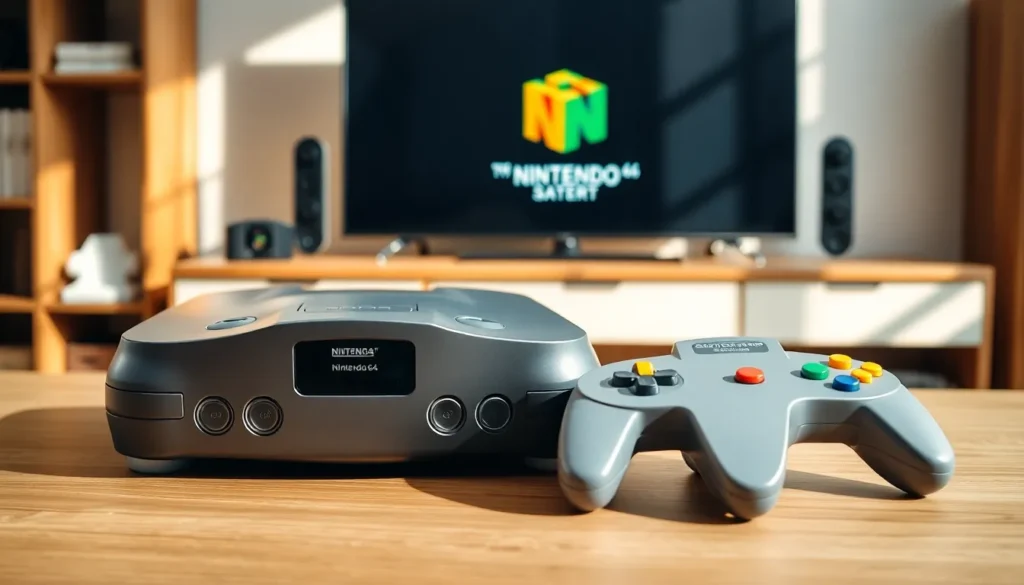
The Nintendo 64 console serves as the foundation. Two main versions exist: the original gray model and the later “Funtastic” series in translucent colors like grape purple, jungle green, and ice blue. Both versions perform identically.
Controllers
Every Nintendo 64 setup needs at least one controller. Original Nintendo controllers work best, though third-party options exist. Inspect the analog stick condition carefully, worn sticks feel loose and affect gameplay. Many sellers offer refurbished controllers with replacement analog sticks.
Video Cables
The Nintendo 64 uses composite cables (yellow, red, white) by default. These cables connect to older TVs easily. For modern televisions, beginners may need an adapter or upscaler to convert the signal.
Power Supply
The original power adapter provides reliable performance. Third-party power supplies cost less but vary in quality. Stick with official Nintendo adapters when possible.
Expansion Pak (Optional)
Some Nintendo 64 games require the Expansion Pak accessory. This memory expansion plugs into the console’s top and enables certain games like Donkey Kong 64 and The Legend of Zelda: Majora’s Mask. Beginners should consider adding this to their setup early.
Choosing Your First Games
The Nintendo 64 library contains over 300 games. Beginners should start with these proven classics:
Super Mario 64 – This platformer defined 3D gaming. Players explore Princess Peach’s castle and collect Power Stars across creative worlds. It remains fun and playable today.
Mario Kart 64 – Racing games don’t get more enjoyable than this. Four-player races on iconic tracks like Rainbow Road deliver endless entertainment.
The Legend of Zelda: Ocarina of Time – Many consider this the greatest game ever made. The adventure spans a vast world filled with dungeons, puzzles, and memorable characters.
GoldenEye 007 – This spy shooter launched a generation of console FPS fans. The multiplayer mode still holds up for local gaming sessions.
Super Smash Bros. – Nintendo characters battle in this fighting game that spawned a massive franchise. Easy to learn, difficult to master.
Beginners should expect different prices across games. Common titles like Wave Race 64 cost under $20. Rare games like Conker’s Bad Fur Day can exceed $100. Start with affordable classics and expand gradually.
The Nintendo 64 game library rewards exploration. Hidden gems exist beyond the famous titles.
Tips for Buying a Used Nintendo 64
Most Nintendo 64 purchases involve used equipment. Smart shopping prevents headaches later.
Where to Buy
Local game stores often test their inventory before selling. eBay and Facebook Marketplace offer larger selections but carry more risk. Garage sales and thrift stores occasionally yield great deals.
What to Check
Examine the console for physical damage. Yellow discoloration on gray consoles is cosmetic and doesn’t affect performance. Check that the cartridge slot opens and closes smoothly. Bent pins inside the slot prevent games from working.
Test controllers before buying when possible. Press all buttons and move the analog stick in circles. Grinding sounds or excessive looseness indicate wear.
Price Expectations
A working Nintendo 64 console with one controller typically costs $60-100 in 2024. Bundles with games may cost more but often provide better value. Compare prices across multiple sellers.
Condition Matters
Boxed consoles command premium prices from collectors. Loose consoles without packaging work identically and cost significantly less. Beginners should prioritize function over presentation.
Cleaning supplies help restore used equipment. Isopropyl alcohol removes grime from controllers. Compressed air clears dust from cartridge slots. A clean Nintendo 64 performs better and lasts longer.
Connecting and Setting Up Your Console
Setting up a Nintendo 64 takes just minutes. Follow these steps:
- Place the console on a stable, ventilated surface. The system needs airflow to prevent overheating.
- Connect the power adapter to the back of the Nintendo 64 and plug it into a wall outlet.
- Attach video cables to the multi-out port on the console’s back. Connect the other ends to matching inputs on the television.
- Plug in controllers to the front ports. Controllers click firmly into place.
- Insert a game cartridge with the label facing the front. Push down until it seats completely.
- Power on the console using the switch on the front.
Troubleshooting Common Issues
Blank screens often result from loose connections. Reseat all cables and try again. Dirty cartridge contacts cause game failures, clean them with isopropyl alcohol and a cotton swab.
Modern flat-screen TVs sometimes struggle with the Nintendo 64’s video output. An upscaler like the RetroTINK improves picture quality and compatibility. These devices cost extra but make the Nintendo 64 look great on current displays.
The Nintendo 64 works reliably once properly connected. These consoles were built to last.