Table of Contents
ToggleNintendo 64 tips can transform a frustrating retro gaming session into hours of pure nostalgia. The N64 remains one of the most beloved consoles from the 1990s, but playing it in 2025 comes with unique challenges. Cartridges act up. Controllers drift. Picture quality looks rough on modern TVs.
This guide covers practical Nintendo 64 tips that actually work. Players will learn how to keep their console running, master that unusual three-pronged controller, discover hidden secrets, and preserve their game collection for years to come. Whether someone just found their childhood N64 in the attic or bought one at a retro game store, these tricks will help them get the most out of this classic system.
Key Takeaways
- Clean your N64 cartridge slot and game contacts with 90%+ isopropyl alcohol to fix most read errors and keep your console running smoothly.
- Master the N64 controller by using the center + right grip for 3D games and left + right grip for D-pad-focused titles.
- Fix analog stick drift by replacing the mechanism with OEM parts or installing a GameCube-style stick mod for better durability.
- Upgrade your video output with S-Video cables or a RetroTINK upscaler to dramatically improve picture quality on modern TVs.
- Install an Expansion Pak to unlock required games like Majora’s Mask and enable graphical upgrades in titles like Perfect Dark and Turok 2.
- Replace dead CR2032 batteries in cartridges like Ocarina of Time to prevent save file loss and keep your collection playable for years.
Getting Your Console Running Smoothly
A dusty N64 straight out of storage rarely works perfectly on the first try. The console needs some attention before it delivers that classic gaming experience.
Clean the Cartridge Slot
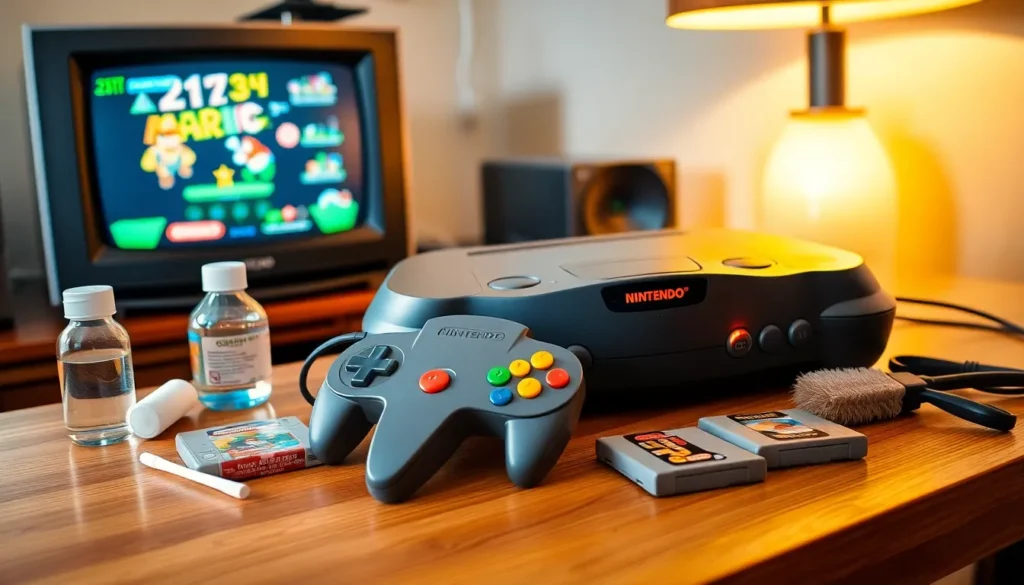
The cartridge slot collects dust, debris, and oxidation over decades. Players should use a soft brush or compressed air to remove loose particles. For deeper cleaning, a cotton swab dipped in isopropyl alcohol (90% or higher) works well. Insert the swab into the slot and gently rub along the pins. Let everything dry completely before inserting a game.
Check the Power Supply
Original N64 power adapters can fail after 25+ years. If the console won’t turn on, test with a known working power supply. Third-party replacements exist, but quality varies. Stick to reputable brands to avoid voltage issues that could damage the system.
Address the Red Blinking Light
A blinking red power light usually means the console can’t read the cartridge. Try these Nintendo 64 tips in order:
- Remove and reinsert the cartridge firmly
- Clean the cartridge’s metal contacts with isopropyl alcohol
- Check for bent pins inside the console
- Test with a different game to rule out a bad cartridge
Bent pins require careful straightening with a small flathead screwdriver. Work slowly, one wrong move can break a pin permanently.
Mastering the N64 Controller
The N64 controller looks strange by modern standards. Three handles, one analog stick, and a button layout that confused players back in 1996 still confuses them today. But these Nintendo 64 tips make the controller feel natural.
Understand the Grip Options
Most games use one of two grips:
- Center + Right: Hold the middle and right handles. The thumb rests on the analog stick while fingers access the trigger (Z button) underneath. This works for 3D games like Super Mario 64 and Ocarina of Time.
- Left + Right: Hold the outer handles for D-pad-focused games. Some fighting games and older-style titles play better this way.
No game requires all three handles at once. Each title was designed around a specific grip.
Fix Stick Drift
The N64’s analog stick wears down over time. Plastic gears inside grind against each other, creating looseness and drift. Players have several options:
- Replace the stick mechanism with a new OEM-style part
- Install a GameCube-style stick replacement kit
- Swap in a modern third-party controller with better build quality
The GameCube stick mod provides the best feel but requires some comfort with basic soldering.
Use the Controller Pak Wisely
Some games save to the Controller Pak (memory card) rather than the cartridge. These Nintendo 64 tips help manage limited space:
- Check if a game saves to the cartridge or Controller Pak before starting
- Keep multiple Controller Paks for games with large save files
- Back up important saves to a second Pak when possible
Hidden Features and Secret Codes
The N64 era was the golden age of cheat codes and hidden content. Publishers stuffed games with secrets that players traded on playgrounds and early internet forums.
Classic Codes Worth Knowing
These Nintendo 64 tips unlock memorable extras:
- GoldenEye 007: Unlock cheats by completing levels under specific times. Invincibility requires beating Facility on 00 Agent in under 2:05.
- Super Mario 64: Collect 120 stars to unlock Yoshi on the castle roof. He gives Mario 100 lives and a special message.
- The Legend of Zelda: Ocarina of Time: Enter the name “ZELDA” to skip directly to the second quest with mirrored dungeons.
- Mario Kart 64: Hold R while selecting a character to get a mirrored version of that racer.
Debug Menus and Hidden Modes
Many N64 games contain developer menus that were never fully removed. Perfect Dark has an extensive debug menu accessible through button combinations. Banjo-Kazooie includes hidden Stop ‘n’ Swop items that were meant to connect with the sequel.
Multiplayer Secrets
GoldenEye and Perfect Dark hide extra multiplayer characters behind completion requirements. Finishing GoldenEye on Agent difficulty unlocks Oddjob, the notoriously short character that every friend group eventually banned.
Improving Graphics and Performance
N64 games looked impressive in 1996. On a modern 4K television, they can look rough. These Nintendo 64 tips help improve the visual experience.
Use S-Video or Better
The standard composite cables (yellow, red, white) produce a blurry image. S-Video offers a noticeable upgrade, sharper edges and cleaner colors. The N64 outputs S-Video natively in most regions.
For the best picture, consider these options:
- RetroTINK or OSSC: Upscalers designed for retro consoles. They convert analog signals to HDMI without adding input lag.
- N64Digital mod: An internal modification that outputs native HDMI. Expensive but delivers the cleanest possible image.
- CRT television: The authentic experience. N64 games were designed for these displays, and many visual issues disappear on proper hardware.
Reduce Fog and Blur
The N64 used heavy fog effects to hide draw distance limitations. Some games have built-in options to adjust this. In others, cheat codes disable fog entirely, GoldenEye being a famous example.
Expansion Pak Benefits
The Expansion Pak doubles the N64’s RAM from 4MB to 8MB. Some games require it (Majora’s Mask, Donkey Kong 64). Others use it for graphical upgrades:
- Perfect Dark: Required for single-player campaign
- Turok 2: Higher resolution mode
- Resident Evil 2: Improved textures
Every N64 owner should grab an Expansion Pak. They’re affordable and improve several games instantly.
Preserving Your Game Cartridges
N64 cartridges are durable, but they need care to last another 30 years. These Nintendo 64 tips protect game collections from common damage.
Clean Contacts Regularly
Dirty contacts cause read errors. Clean them with isopropyl alcohol and a cotton swab whenever a game acts up. Rub gently along the metal contacts, then let everything dry for several minutes.
Never blow into cartridges. Breath moisture causes corrosion over time, the opposite of what players want.
Replace Dead Batteries
Some N64 cartridges use batteries for save data. Games like Ocarina of Time and Majora’s Mask rely on internal CR2032 batteries that eventually die. Signs of a failing battery include:
- Save files disappearing
- Clock-based features resetting
- Game freezing during saves
Battery replacement requires opening the cartridge with a special security bit screwdriver. The process takes about 10 minutes per cartridge.
Store Games Properly
Cartridges should live in a cool, dry place away from direct sunlight. Plastic cases or dust sleeves prevent debris buildup. Avoid storing games in attics, basements, or garages where temperature swings occur.
Labels peel and fade over time. Reproduction labels exist for collectors who want pristine-looking cartridges without paying premium prices for mint originals.